
Automation is no longer a luxury — it has become a necessity.
Businesses today rely on dozens of applications: CRMs, databases, messaging platforms, analytics tools, IoT dashboards, email services, and internal systems. Managing data across these platforms manually is slow, error-prone, and expensive.
This is exactly where n8n changes the game.
Over the past few years, I have implemented multiple automation systems for industrial monitoring, alerting platforms, and real-time dashboards. During that journey, I tested several automation tools — some were too expensive, some too limited, and some locked critical features behind enterprise pricing.
Then I discovered n8n.
At first, I thought it was just another Zapier alternative.
I was wrong.
Within weeks of deploying it in production, I realized n8n is not just an automation tool — it is an automation framework.
In this guide, I will walk you through everything you need to know about n8n, including:
✔ What n8n is
✔ Why it is growing rapidly
✔ Real-world use cases
✔ Benefits for businesses
✔ Developer advantages
✔ Setup guide
✔ SEO insights
✔ Expert tips from real experience
Let’s start.
What is n8n?
n8n (pronounced “n-eight-n”) is an open-source workflow automation platform that allows you to connect apps, APIs, databases, and services to automate repetitive tasks.
Think of it as a digital brain that moves data automatically between systems — without human intervention.
For example:
👉 When a machine sends vibration data → store it in a database
👉 If temperature crosses a threshold → send an alert
👉 When a lead is created → notify sales instantly
👉 Generate reports automatically every morning
Instead of writing hundreds of lines of integration code, you visually design workflows.
Yet — and this is important — n8n is not just for non-technical users.
It gives developers full control.
You can:
- Write JavaScript inside workflows
- Call any REST API
- Execute custom logic
- Run Python scripts
- Connect to MQTT brokers
- Process IoT data
- Handle millions of events
This flexibility is why developers are rapidly adopting it.
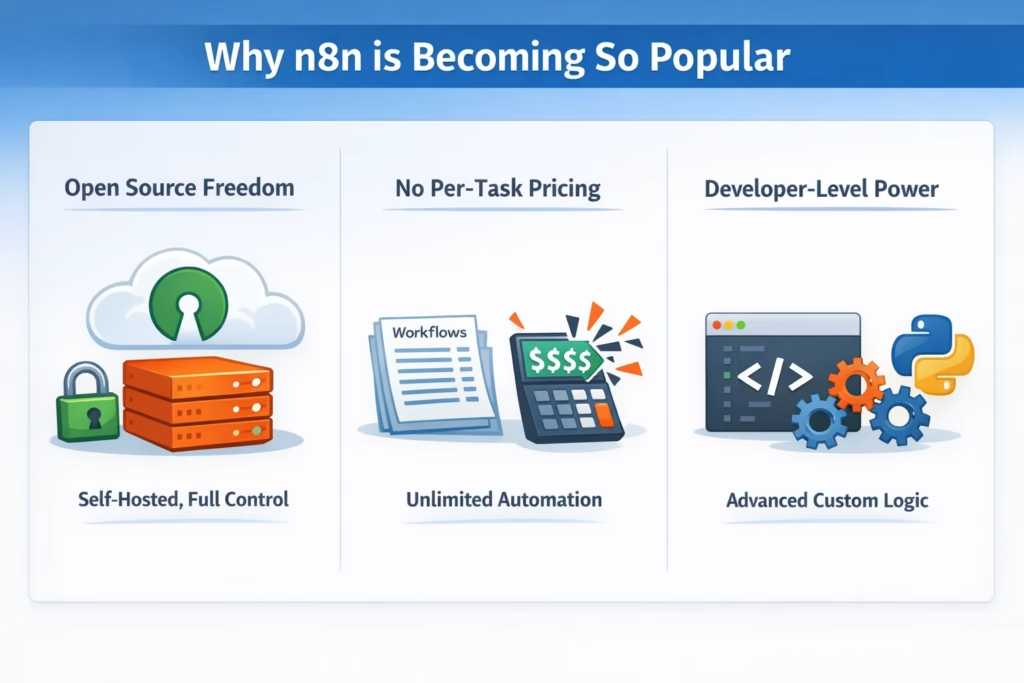
Why n8n is Becoming So Popular
The automation space is crowded.
Tools like Zapier and Make are well-known, but they come with limitations:
- High monthly pricing
- Execution limits
- Restricted customization
- Vendor lock-in
n8n solves these problems.
Open Source Freedom
You can host it on your own server. Your data stays with you.
For industries handling sensitive data — manufacturing, healthcare, finance — this is critical.
No Per-Task Pricing
Most automation platforms charge per operation.
n8n does not.
You can run thousands of workflows without watching a billing meter explode.
Developer-Level Power
Unlike drag-and-drop tools that hide complexity, n8n embraces it.
Need conditional logic?
Want loops?
Custom authentication?
Webhook triggers?
Everything is possible.
My Real Experience Using n8n in Production
Let me share something practical.
I once worked on a project involving real-time vibration sensors installed across multiple industrial machines.
The challenge was massive:
- Sensors were sending data every few seconds
- Threshold breaches required instant alerts
- Data had to be stored for analytics
- Dashboards needed live updates
Initially, we built custom scripts.
Maintenance became a nightmare.
One small change meant redeploying services.
That is when we migrated the logic to n8n.
What changed?
✅ Alert workflows were visual
✅ Debugging became easier
✅ Failures were traceable
✅ New integrations took minutes instead of days
One of the most powerful workflows we created:
Sensor → MQTT → n8n → Database → Alert → Dashboard
When vibration crossed a limit:
✔ n8n captured the event
✔ Checked machine metadata
✔ Triggered a WhatsApp alert
✔ Logged the fault
✔ Updated the monitoring panel
All within seconds.
No human involved.
That was the moment I realized — automation is not about saving time.
It is about building reliable systems.
How n8n Works (Simple Explanation)
At its core, n8n uses workflows made of nodes.
Each node performs one action.
Example workflow:
Webhook → Validate Data → Transform → Store → Notify
Types of Nodes:
Trigger Nodes
Start the workflow.
Examples:
- Webhook
- Schedule
- Email trigger
- Database change
Action Nodes
Perform tasks like:
- Insert into MySQL
- Send Slack message
- Call API
- Upload file
Logic Nodes
These make workflows intelligent.
- IF conditions
- Switch
- Merge
- Loop
This is where n8n becomes extremely powerful.
You are not just connecting apps — you are designing logic.
Powerful n8n Use Cases
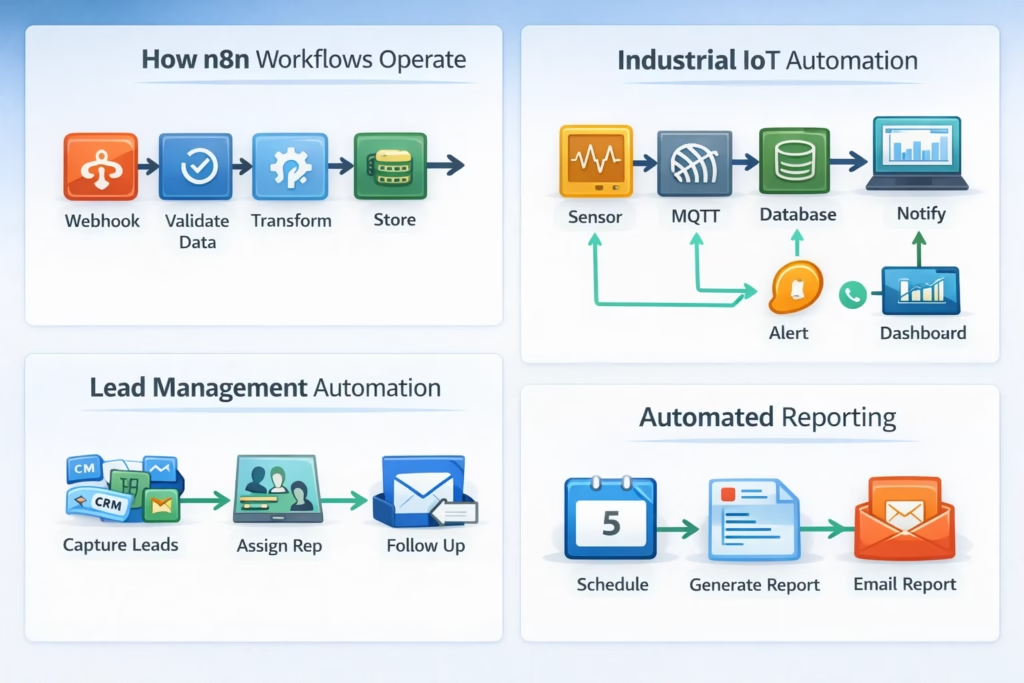
1. Industrial IoT Automation
Perfect for factories.
- Machine alerts
- Predictive maintenance
- Energy reports
- Production dashboards
Instead of monitoring screens manually, automation handles it.
2. Lead Management
Automatically:
- Capture leads
- Assign sales reps
- Send follow-ups
- Update CRM
Speed matters in sales — automation wins deals.
3. Automated Reporting
Generate and send reports daily.
No manual Excel work.
4. DevOps Automation
Trigger deployments, monitor logs, notify teams.
Engineers love this.
5. AI Workflow Integration
Yes — n8n works beautifully with AI APIs.
You can:
- Summarize emails
- Classify tickets
- Generate responses
- Analyze documents
Automation + AI is the future.
Why n8n Can Increase Business Efficiency
From my experience, automation typically improves operational efficiency by 30–60%.
Here’s how:
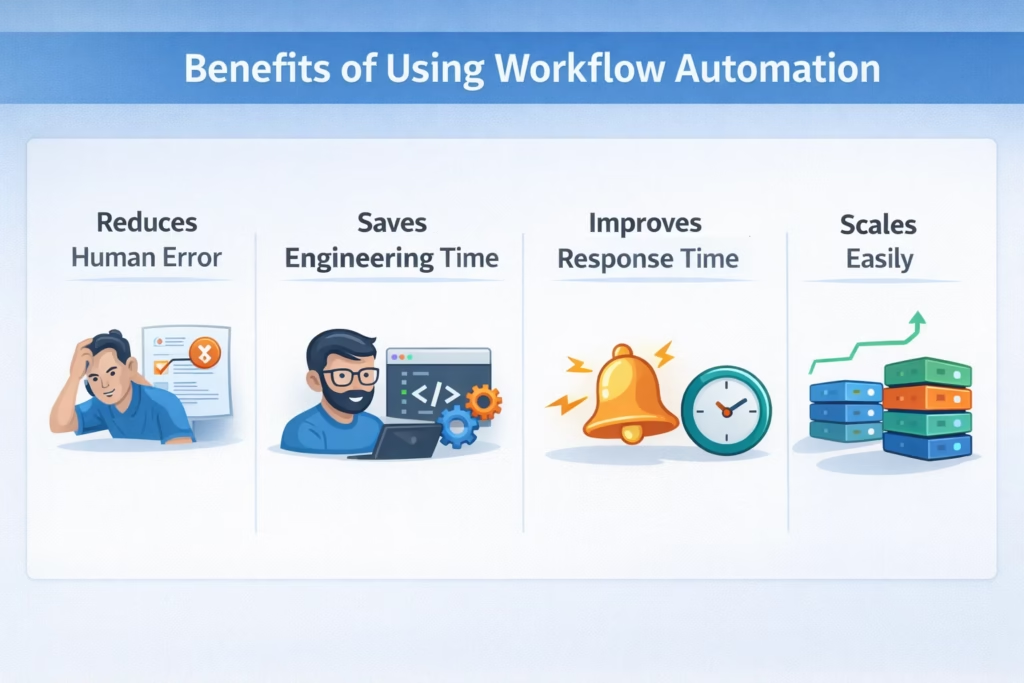
✔ Reduces Human Error
Manual data entry always causes mistakes.
Automation doesn’t forget.
✔ Saves Engineering Time
Developers focus on innovation — not glue code.
✔ Improves Response Time
Alerts go out instantly.
Not after someone checks a dashboard.
✔ Scales Easily
Need more workflows?
Just build them.
No infrastructure overhaul.
How to Get Started with n8n
Getting started is surprisingly simple.
Option 1 — Self Host (Recommended)
Use Docker on a VPS.
Advantages:
- Full control
- Better security
- Lower cost
Many businesses prefer this setup.
Option 2 — n8n Cloud
Good for beginners.
No infrastructure management.
But self-hosting becomes more economical at scale.
⚠️ Mistakes to Avoid
After working with automation platforms, I have seen teams make the same errors repeatedly.
❌ Over-Automating Too Early
Start with high-impact workflows.
Not everything needs automation.
❌ Ignoring Error Handling
Always add fallback paths.
Failures will happen.
Prepare for them.
❌ Poor Naming Conventions
When workflows grow, chaos follows.
Use structured naming.
Trust me — future you will be grateful.
The Future of Automation Belongs to Flexible Platforms
The biggest shift happening right now is this:
Businesses want control.
They do not want their core operations dependent on third-party pricing changes.
Open systems are winning.
n8n sits perfectly in that space.
It combines:
✔ Developer freedom
✔ Visual simplicity
✔ Enterprise capability
This rare combination is why its adoption curve is rising fast.
Expert Tips From Real Deployments
If you plan to use n8n seriously, remember these:
👉 Keep Workflows Modular
Break large automations into smaller ones.
Debugging becomes painless.
👉 Use Environment Variables
Never hardcode credentials.
Security first.
👉 Monitor Execution Logs
Logs reveal hidden performance issues.
👉 Implement Retry Logic
Networks fail. APIs timeout.
Retries prevent silent failures.
Final Thoughts
Automation is no longer optional.
It is the backbone of modern digital operations.
After implementing multiple production workflows, I can confidently say:
n8n is one of the most powerful automation tools available today.
Whether you are:
- A developer
- Startup founder
- Operations leader
- IoT engineer
- Agency owner
Learning n8n today puts you ahead of the curve.
Because the future belongs to businesses that automate intelligently.
And platforms like n8n are making that future accessible.
FAQ
What is n8n used for?
n8n is used to automate workflows between apps, databases, APIs, and services without manual intervention.
Is n8n better than Zapier?
For developers and businesses needing flexibility and cost control — yes. n8n offers deeper customization and self-hosting.
Is n8n free?
Yes. The self-hosted version is open source.
Does n8n require coding?
No, but coding knowledge unlocks its full power.
Can enterprises use n8n?
Absolutely. Many companies deploy it internally for secure automation.

